How to delete my account
Follow these steps to delete your account:
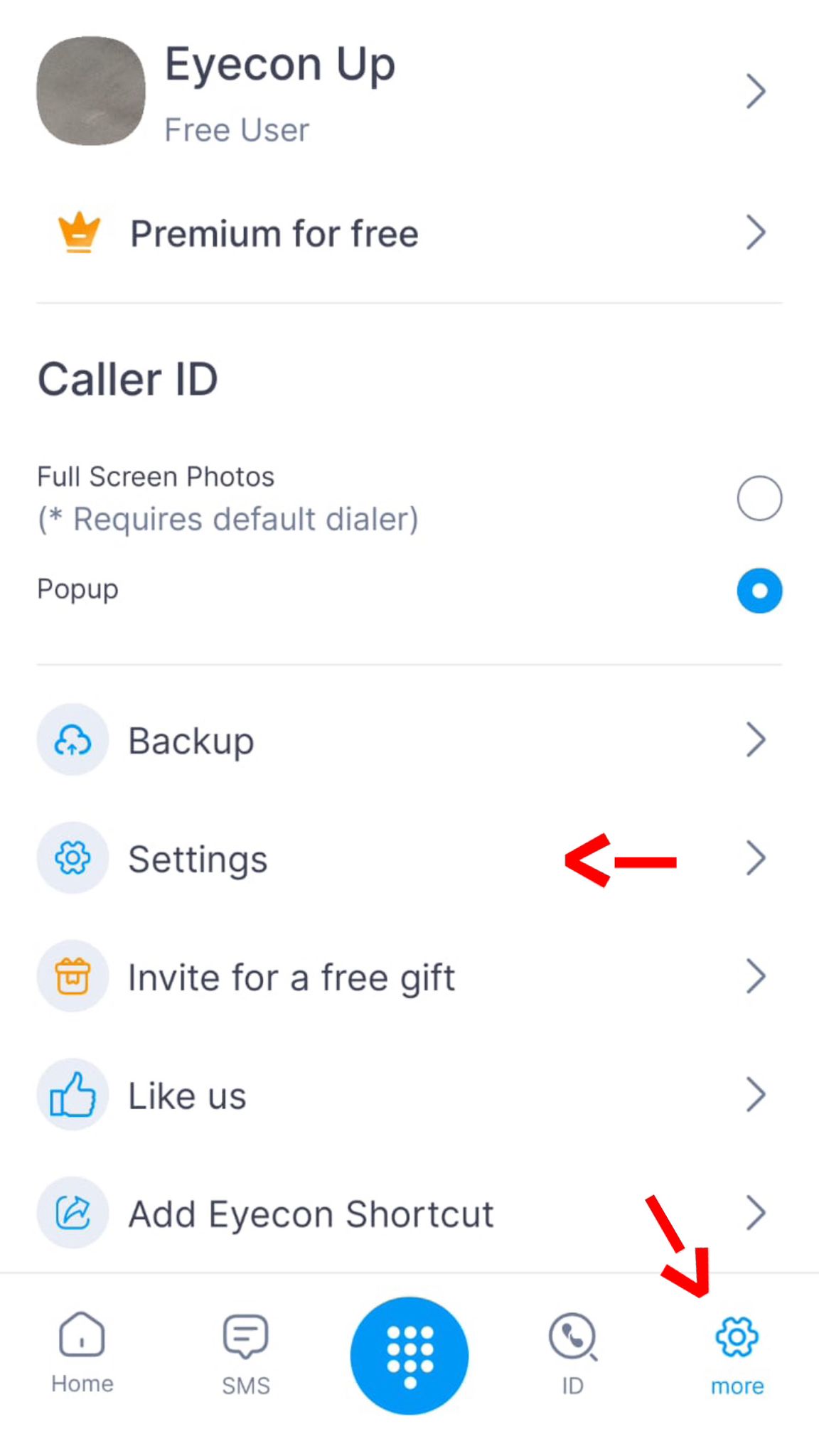
- Go to “More” tab
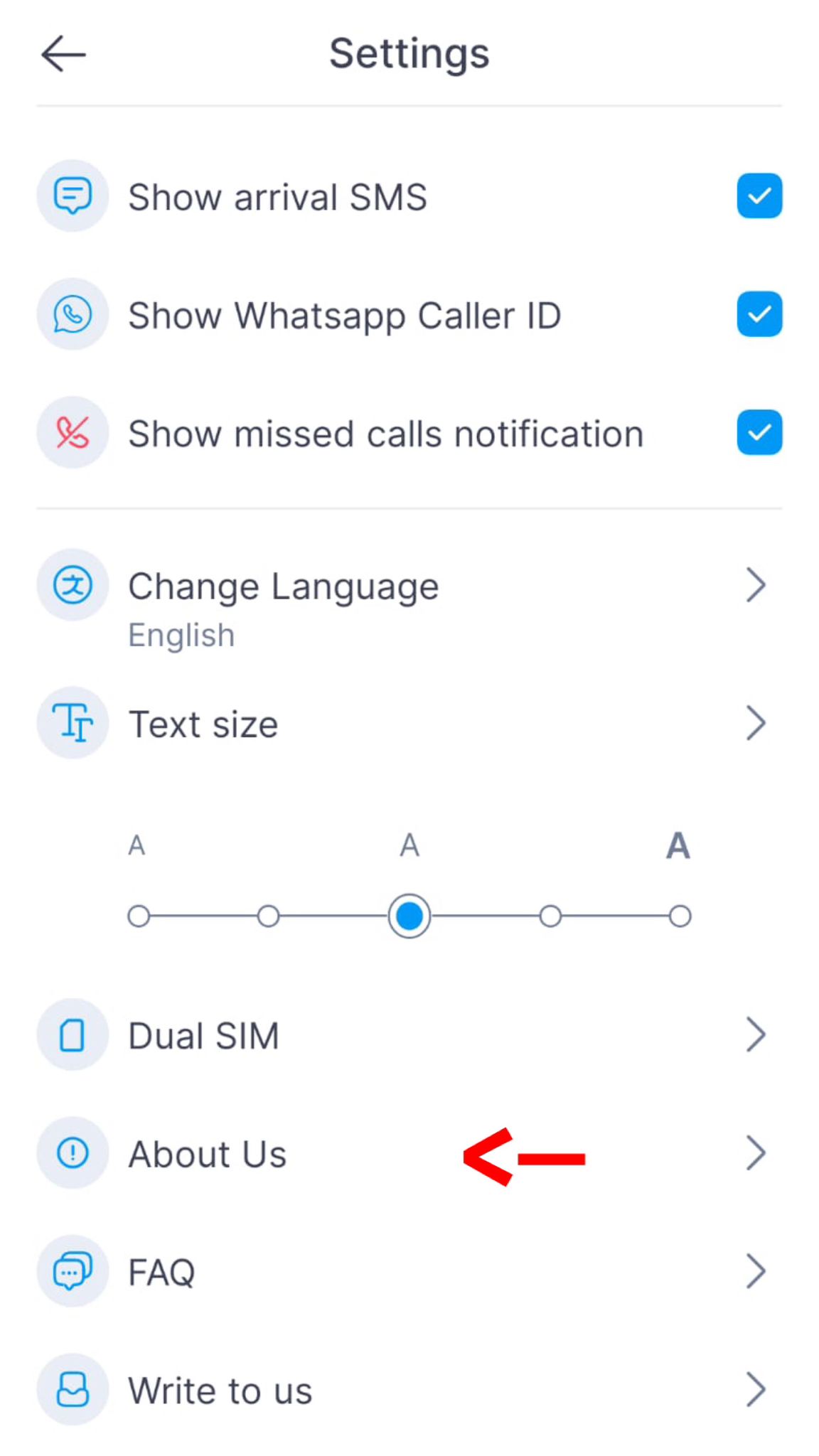
- Press “Settings”
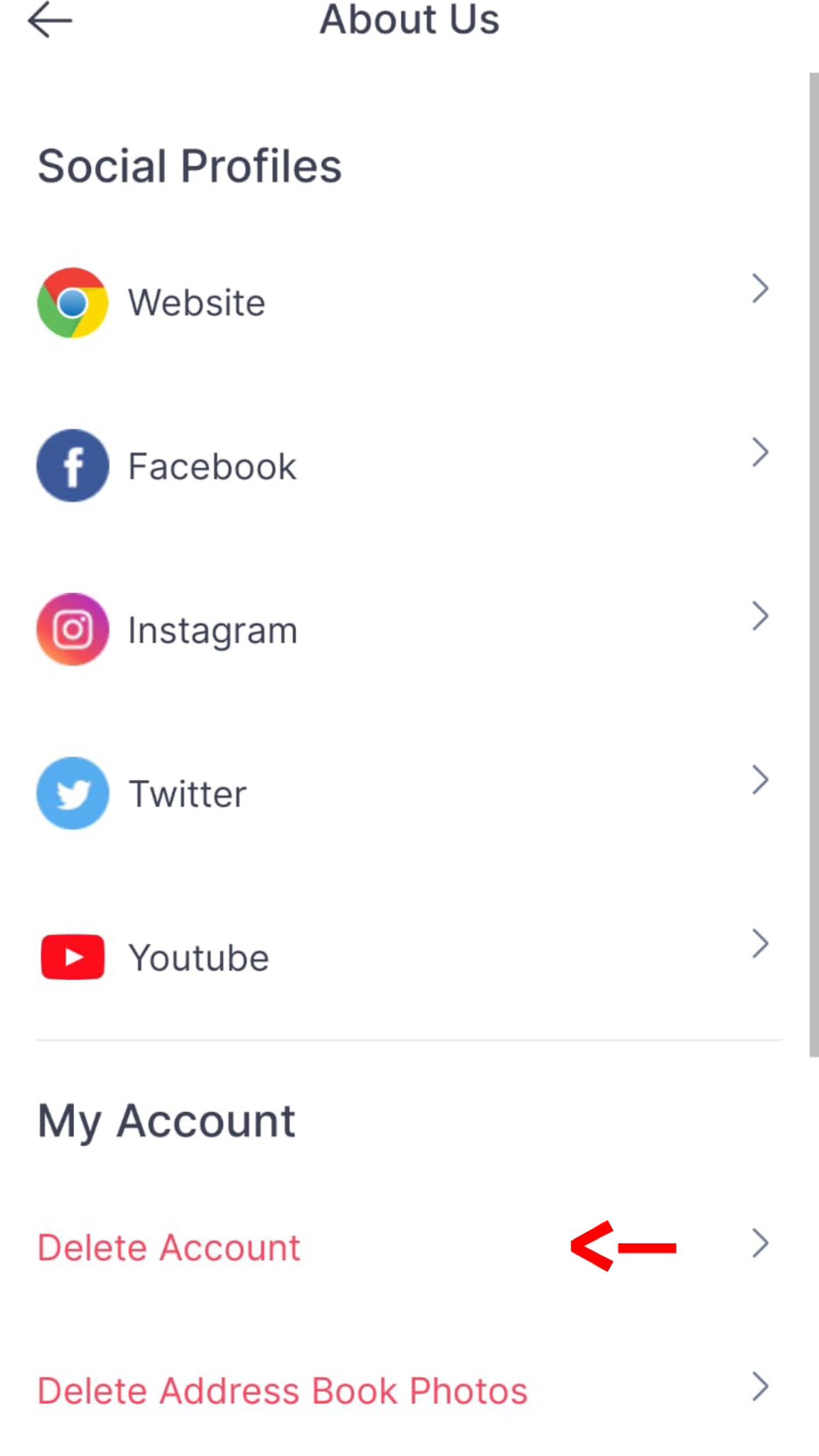
- Press “About Us”
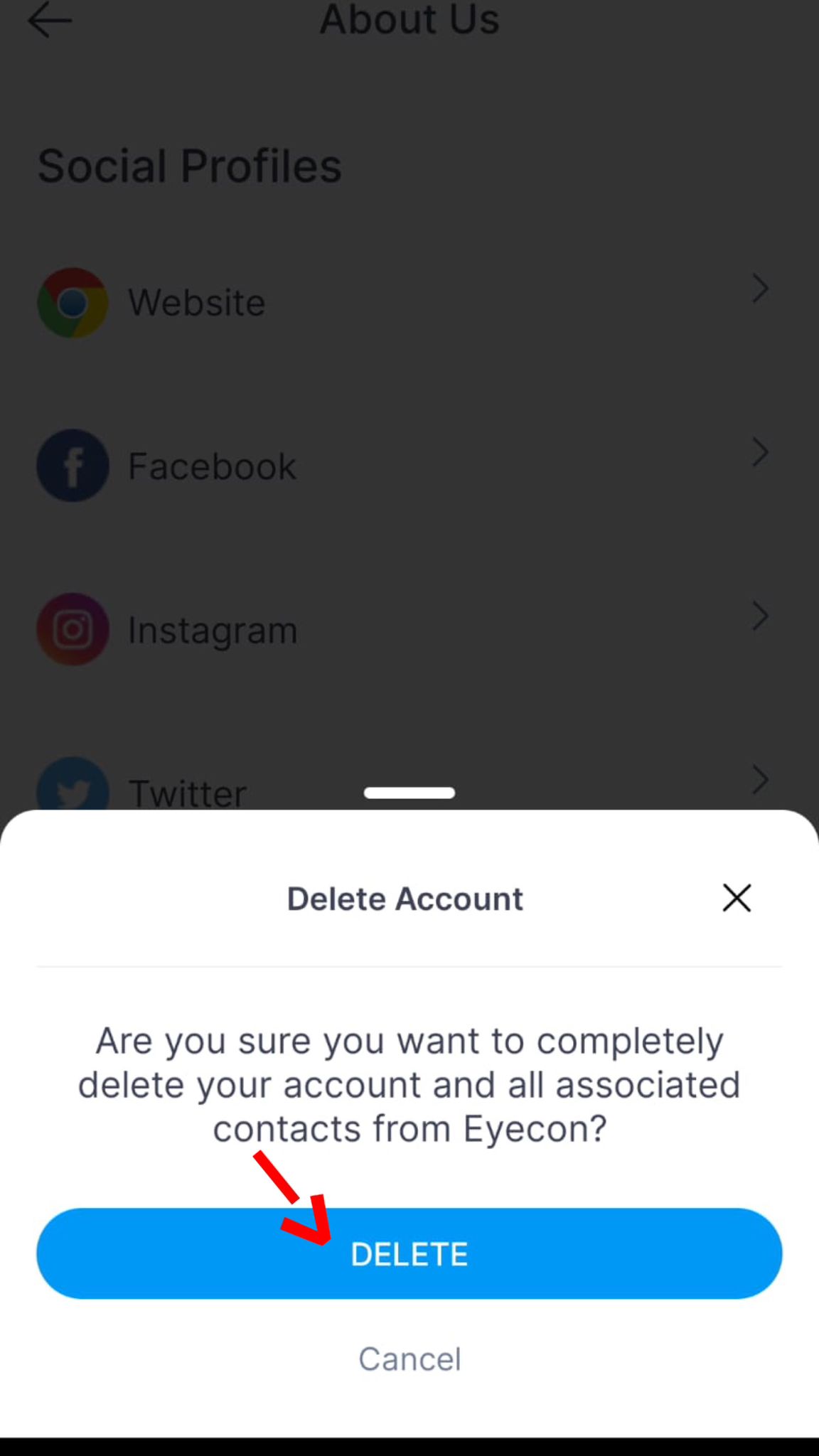
- Press “Delete Account”
*Please note that this action will permanently delete your account and all associated contacts from Eyecon. If you wish to delete only specific data or portions of your data without removing your account, please contact us at [email protected] with details of your request.
*If you don’t have Eyecon installed, please send an email to [email protected] with your phone number including country code and we will delete your information.