Eyecon New FAQ
Getting Started
Dialer
Caller ID
Your Contacts
Profile
More results...
Generic selectors
Exact matches only
Search in title
Search in content
Post Type Selectors
Search in posts
Search in pages
hrf_faq
Filter by Categories
Account & Profile
Caller ID & Spam
Dialer
Getting Started
Manage Your Contacts
Uncategorized
Home
Manage Your Contacts
How to share a number
How to share a number
In order to share a contacts’ number:
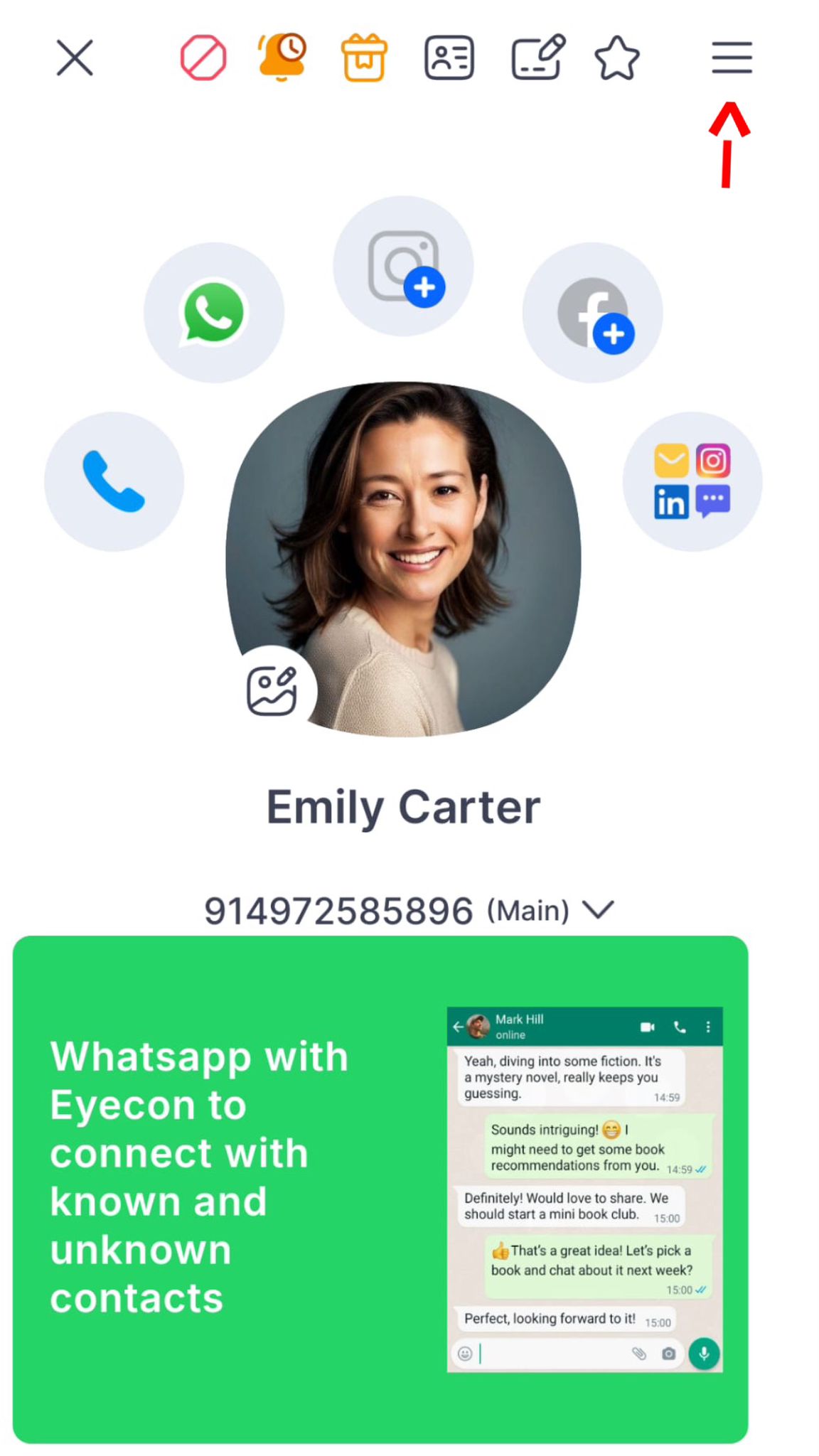
Go to the contact
Press on the Hamburger symbol
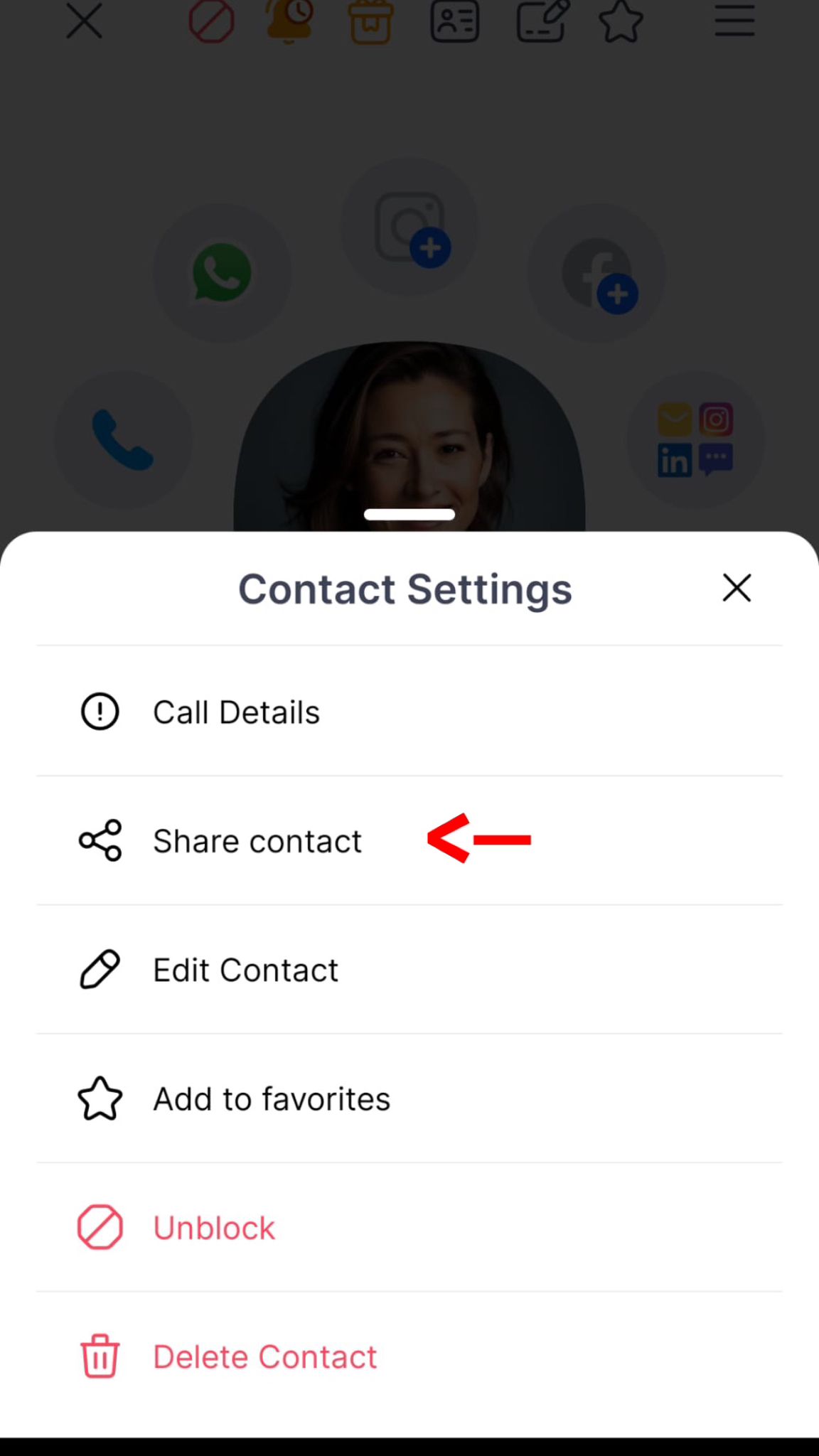
Press “Share contact”
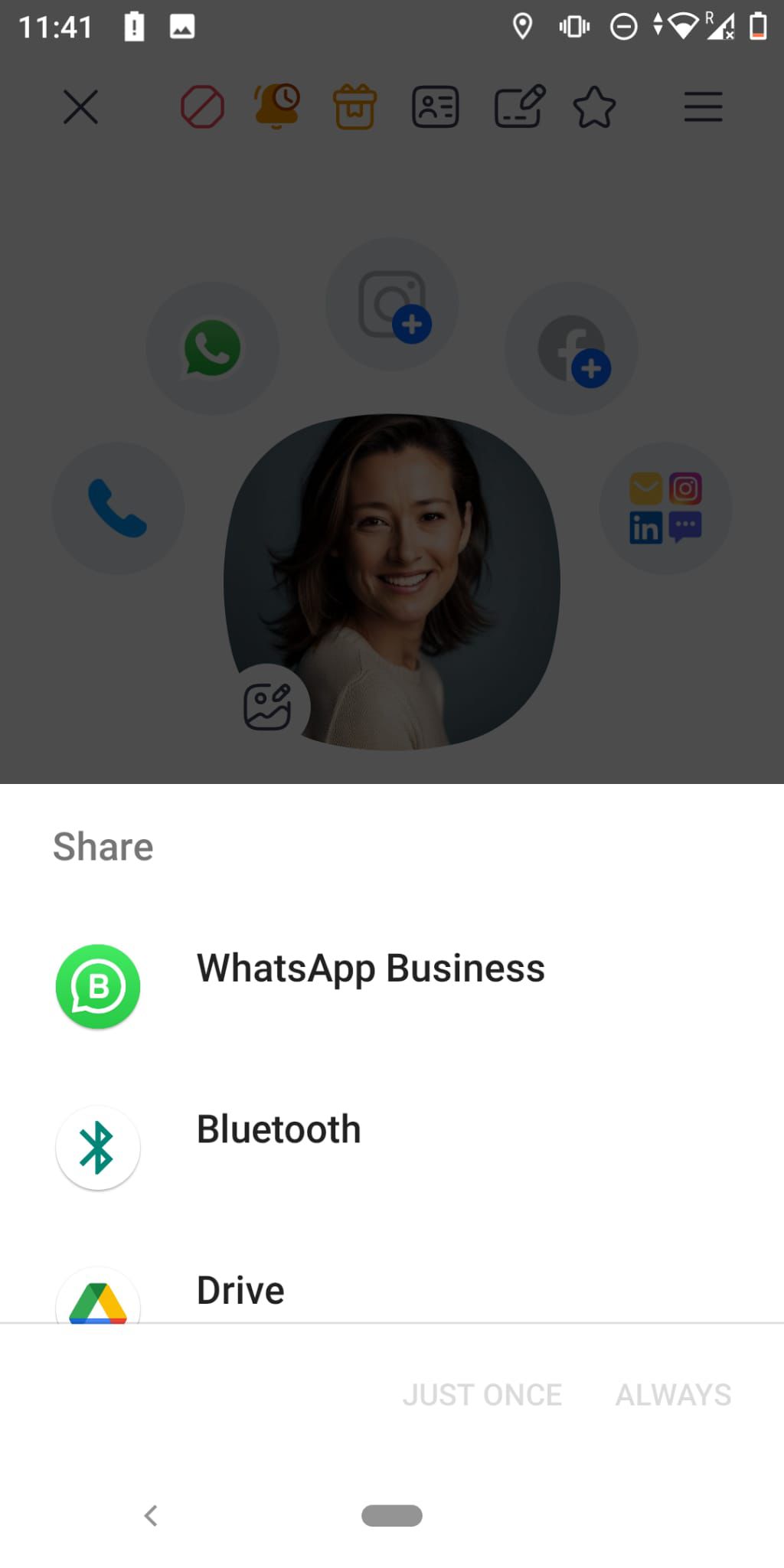
Choose which app to send to
Post navigation
Previous Post
How To Edit My Personal Information
Next Post
How to add a contact to favorites
Related posts
No related posts were found
Skip to content
Open toolbar
Accessibility Tools
Accessibility Tools
Increase Text
Increase Text
Decrease Text
Decrease Text
Grayscale
Grayscale
High Contrast
High Contrast
Negative Contrast
Negative Contrast
Light Background
Light Background
Links Underline
Links Underline
Readable Font
Readable Font
Reset
Reset
 Eyecon New FAQ